/ 06 — Case study
REHQ
REHQ — a CRM shaped around how brokers actually work
Dashboard and deal management UI for a commercial real estate platform.
REHQ is a CRM for commercial real estate brokers. I designed the UI for its core surfaces — the dashboard, pipeline, deal records, contacts and property records — around a single idea: the tool's structure should follow the work, not force every deal into the same shape. The live product has since evolved beyond this work.
Overview
A tour across REHQ's core surfaces — the dashboard, pipeline, deal record and contact flow. Click any screen to view it in full.
/ 01 — Overview
Problem
Generic CRMs treat every deal the same. Commercial real estate doesn't work that way — a buyer representation and a landlord listing need different information at different moments, so an off-the-shelf tool buries brokers in fields that mostly don't apply.
Solution
A CRM whose structure follows the work. The deal record changes shape by deal type, the pipeline splits active from prospective deals with columns matched to each stage, contacts use an industry-specific schema, and property records carry the fields commercial brokers actually use.
/ 02 — Project details / at a glance
- Role
- UI Designer
- Client
- REHQ (commercial real estate CRM)
- Product
- CRM — dashboard, pipeline & deal management (web app)
- Scope
- Dashboard · Pipeline · Deal records · Contacts · Property records
- Tools
- Figma
- Note
- The live product has since evolved beyond this work.
/ 03 — My focus
Structure that
follows the deal.
Rather than one universal form, I designed each surface around the decision a broker is actually making at that moment — which fields matter, which relationships to capture, and when. The result is a CRM that feels built for commercial real estate instead of adapted to it.
/ 05 — The work
A workspace that opens on what matters
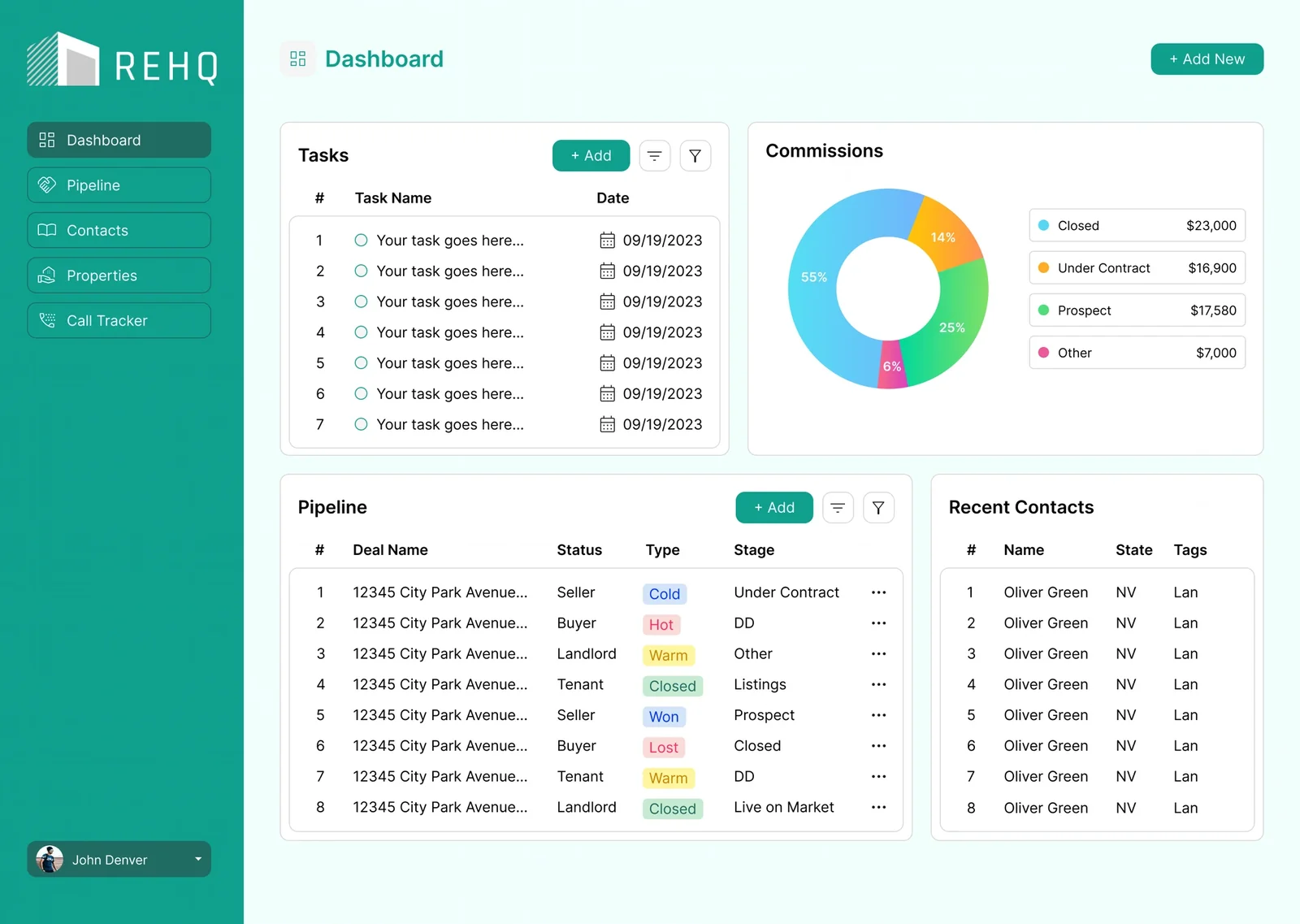
The dashboard leads with the things a broker checks first — tasks due, a commissions breakdown by stage, a live pipeline snapshot and recent contacts — so the day's priorities are visible the moment they log in.
Active and prospective deals, each with their own columns
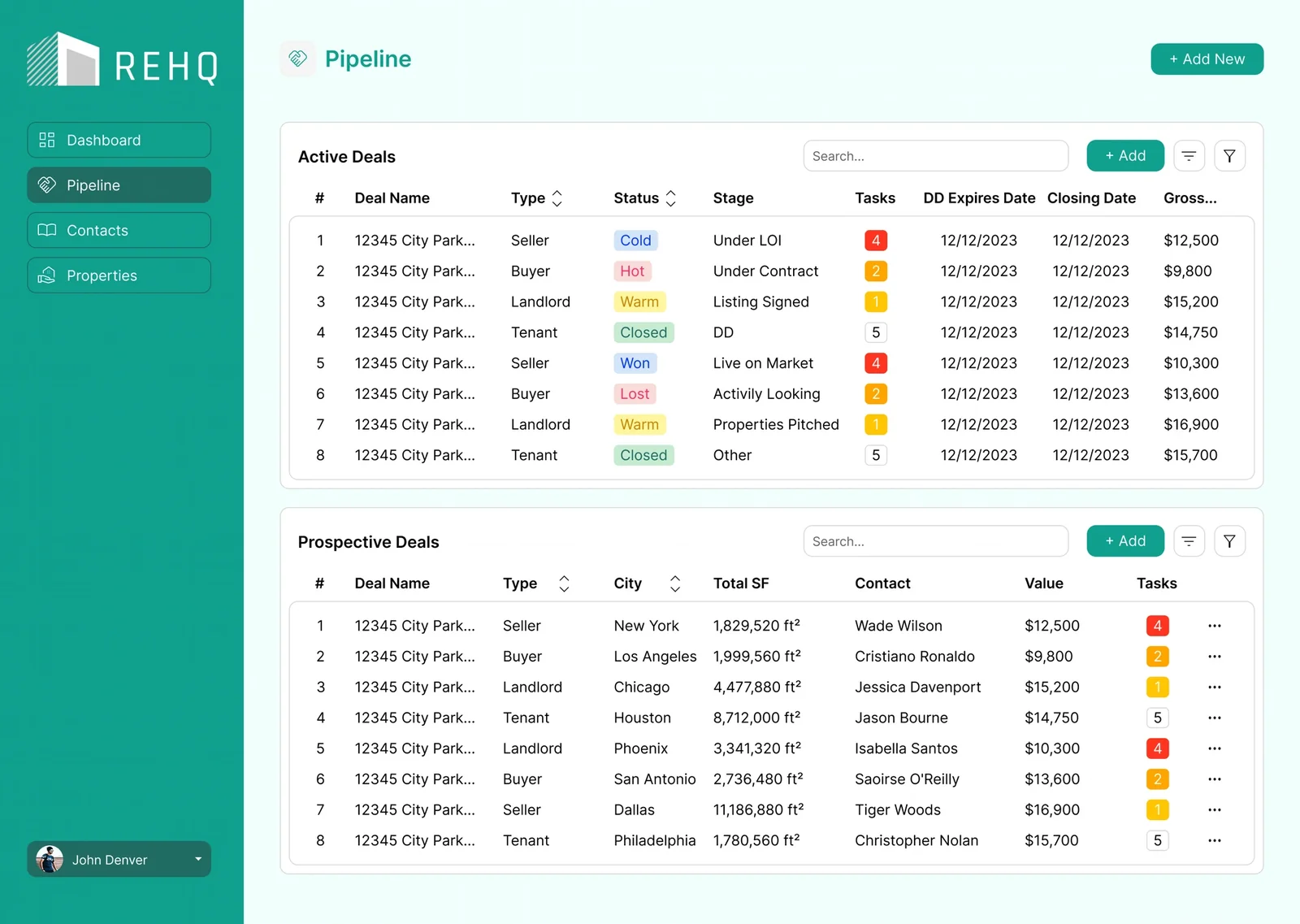
The pipeline separates active deals from prospective ones and gives each different columns. Active deals surface due-diligence expiry, closing date and gross commission — the dates a broker manages against. Prospective deals surface city, total square footage and contact, because at that stage the question is only whether the deal is worth pursuing.
The deal record changes shape by deal type
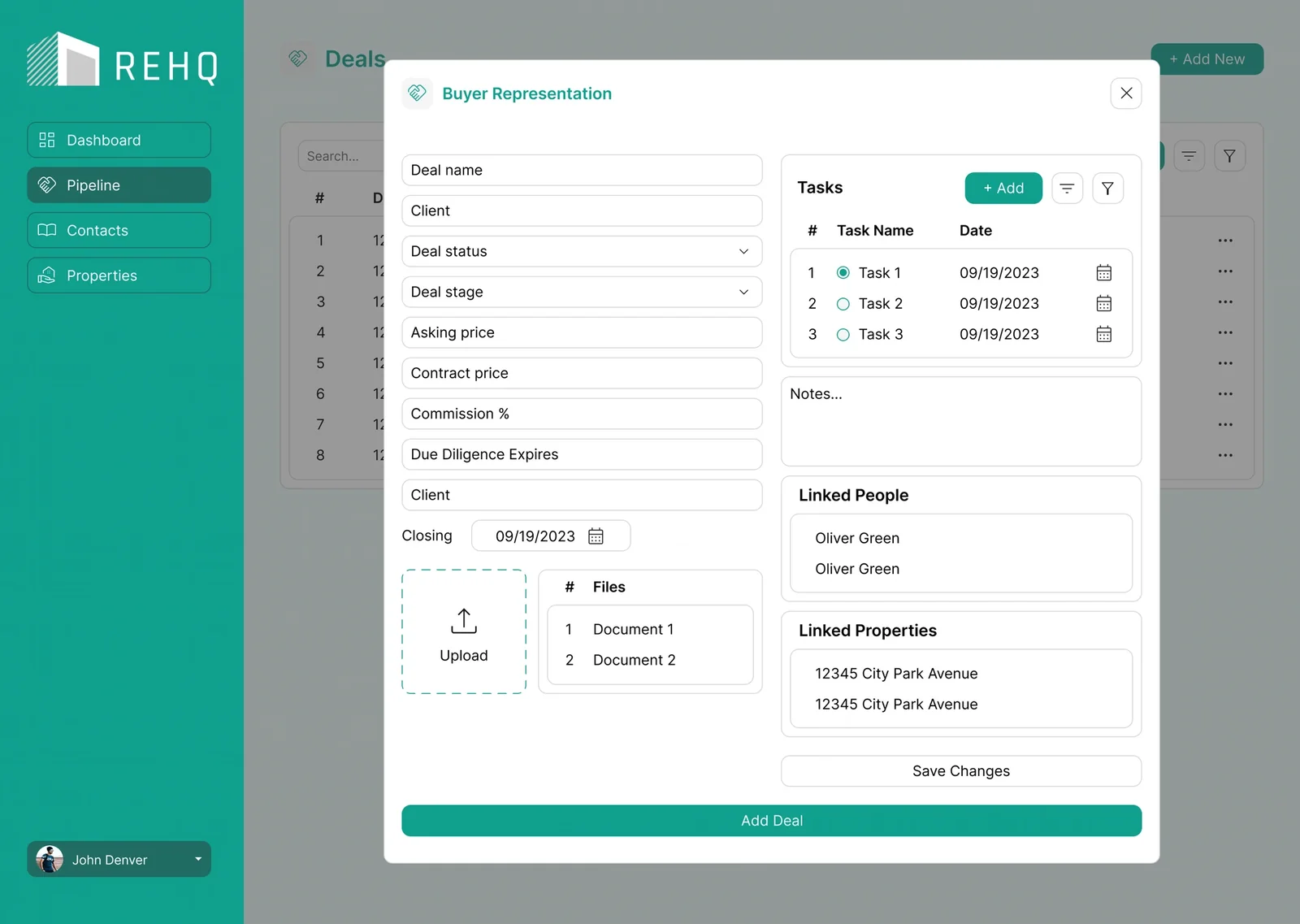
Instead of one universal form full of fields that mostly don't apply, the deal record's shape follows the deal type. Linked people and linked properties sit inside the record itself, so relationships get made at the moment of work rather than through a separate association step.
Contacts tagged by who they actually are
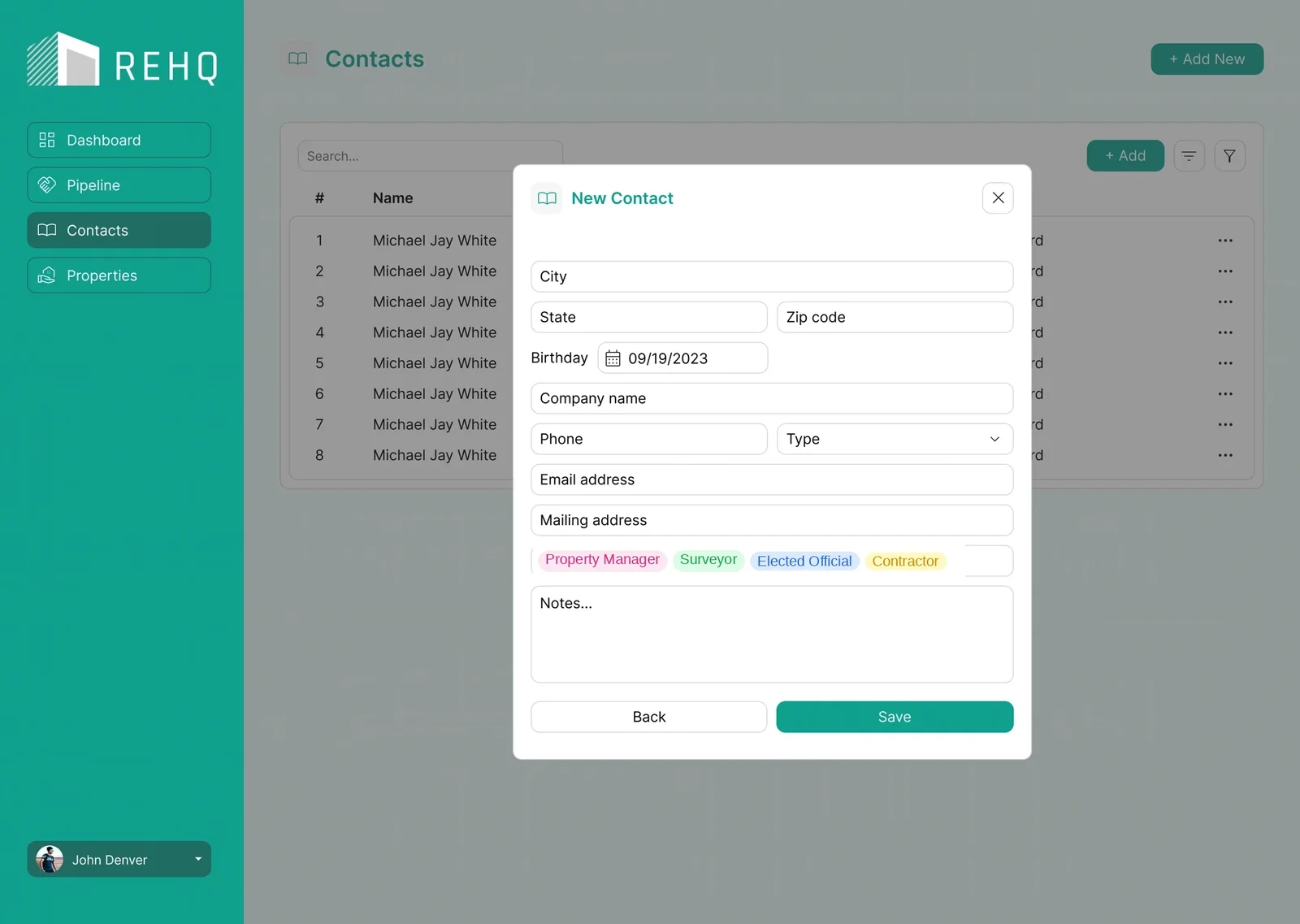
Contacts use a schema built for the industry rather than a generic one. Property managers, surveyors, elected officials and contractors are tagged as distinct types, because who someone is determines when a broker needs them.
Property records with the fields brokers actually use
Property records carry the fields commercial brokers actually work with: zoning and future land use, ceiling heights, heated versus total square footage, tenancy and construction type — the data that decides whether a space fits a deal.
Property detail — zoning/FLU, ceiling heights, heated vs. total SF, tenancy and construction type.
/ 06 — Key decisions
Decisions that
fit the industry.
A few structural choices are what make REHQ feel built for commercial real estate rather than adapted to it.
The deal record follows the deal type
Rather than one universal form with fields that mostly don't apply, the record's shape changes with the deal type — a buyer rep and a landlord listing each show what matters.
Two pipelines, two column sets
Active deals surface DD expiry, closing date and gross commission; prospective deals surface city, total SF and contact — the question each stage is really asking.
An industry contact schema
Property managers, surveyors, elected officials and contractors are tagged as distinct types, because who someone is determines when a broker needs them.
Relationships made in context
Linked people and linked properties live inside the deal record, so connections are captured at the moment of work — not through a separate association step.
/ 07 — Outcome
A CRM that
fits the work.
REHQ's UI reflects how commercial brokers actually operate — deals that show the right fields, a pipeline that answers the right question at each stage, contacts and properties modelled on the industry, and relationships captured where the work happens. The live product has since evolved beyond this work, but this design set its structural foundation.
/ 08 — Reflection
The most useful thing UI can do for a specialist tool is refuse the generic default. On REHQ, almost every decision came back to one question — what does this specific deal, at this specific moment, actually need on screen? Designing to that, rather than to a universal form, is what made it feel like a broker's tool.