/ 03 — Case study
Rehab Squared (RH2)
Rehab Squared
Bringing operational clarity to a multi-sided renovation platform.
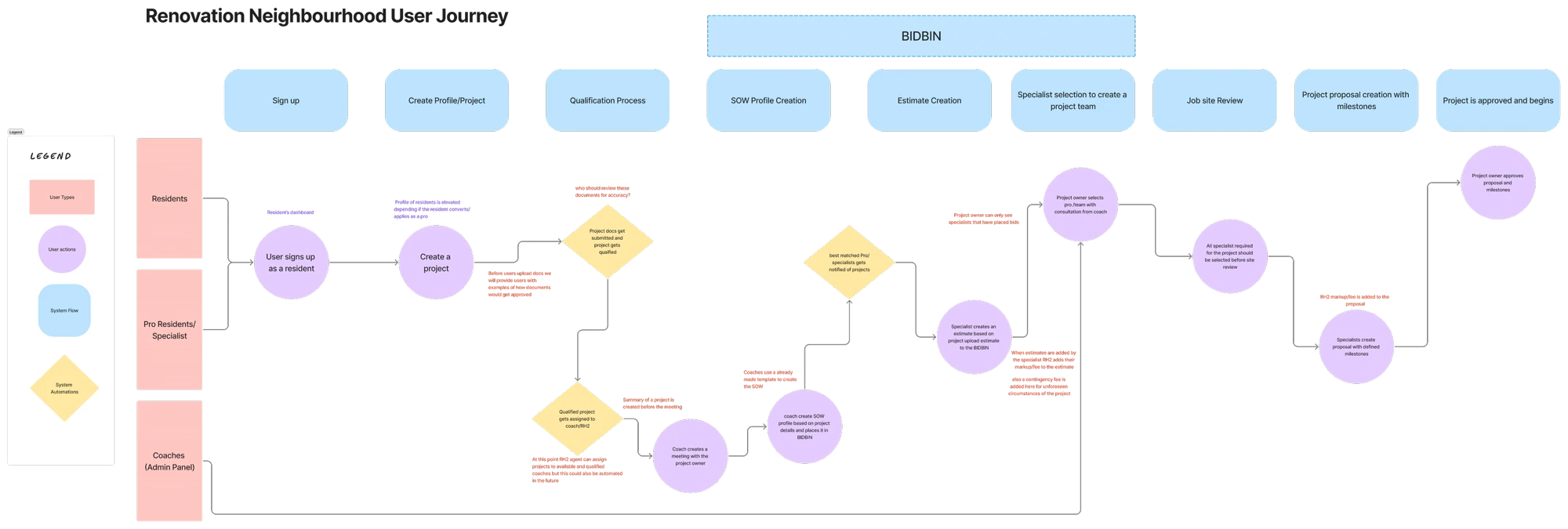
As UX consultant, I broke down and optimized the flows connecting three user types — homeowners, contractors, and coaches — with a strong focus on the operational and business logic that keeps a complex renovation project moving from first bid to final payment.
Mobile app
/ 01 — Overview
Problem
Rehab Squared connects homeowners, contractors, and coaches on one platform — but the flows tying these roles together, and the operational logic underneath them (bidding, scopes of work, estimates, milestones, payments, timelines), weren't clearly defined or shared. It was hard to see how a project actually moved from first request to final payment, or how each role handed off to the next.
Solution
I broke the platform down with the client, validated all three user types and how they relate, and optimized the business and operational logic — mapping the full ecosystem and translating it into flows and dashboards that reflect how the business actually runs, with a strong focus on the coach (project manager) and the RH2 operational roles.
/ 02 — Project details / at a glance
- Role
- UX Consultant (flow optimization + design)
- Client
- Rehab Squared (RH2)
- Product
- Multi-sided renovation-management SaaS
- Users
- Homeowners · Contractors · Coaches · RH2 ops staff
- Tools
- Figma
- Timeline
- 2024 · ~12 weeks
/ 03 — My focus
Optimizing the
business,
not the UI.
I worked directly with the client to break down the platform and make sure all three user types existed as coherent, well-understood roles — and that the relationships between them held together. My strongest focus was on the parts most teams skip: the coaches as project managers and the RH2 operational staff who run the backend, the transactions, and the project timeline. Rather than treating this as a UI polish job, I optimized the business aspect of the platform — the flow of a project through bids, estimates, SOWs, milestones, and payments — so the product reflected how the business actually needs to run.
/ 04 — Understanding the user types
Three roles,
one system.
Before optimizing anything, I made sure each role — and the relationships between them — was clearly defined.
Homeowner
Wants confidence their renovation is managed well from start to finish — transparent pricing, clear steps, and regular updates.
Contractor (Pro / Specialist)
Bids on qualified projects, builds estimates, and executes the work.
Coach (Project Manager)
The operational spine — qualifies projects, creates the scope of work, assembles the team, and steers the homeowner through milestones and approvals.
RH2 Staff (Operations)
The backend — organization, transactions (markup, fees, contingency), and timeline management that keep projects on track.
/ 05 — The work
Grounding it in the homeowner's experience
Alongside the system view, I mapped the homeowner journey stage by stage — awareness, onboarding, planning, active project, and wrap-up — to keep the operational logic anchored to what the resident needs to feel confident at each step.

Translating operational logic into the product
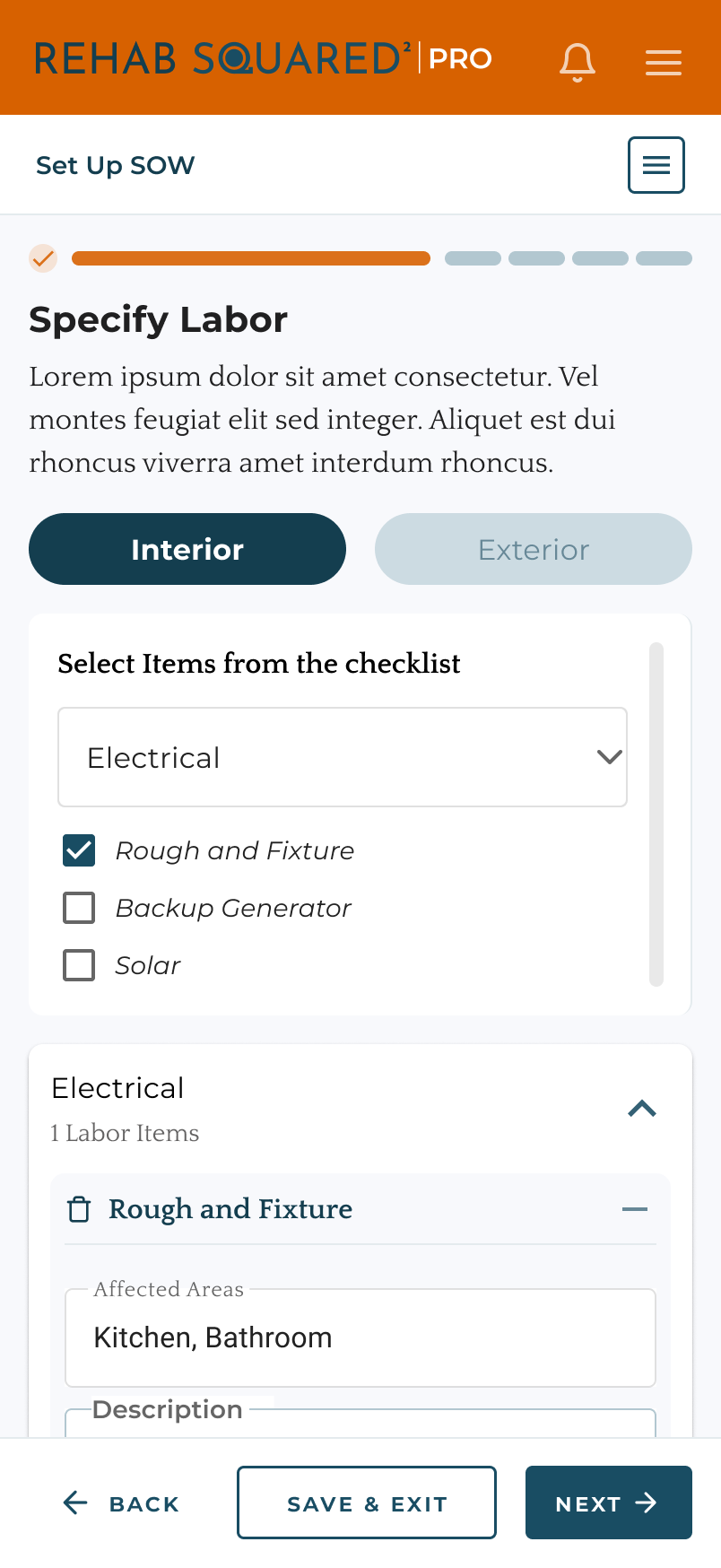
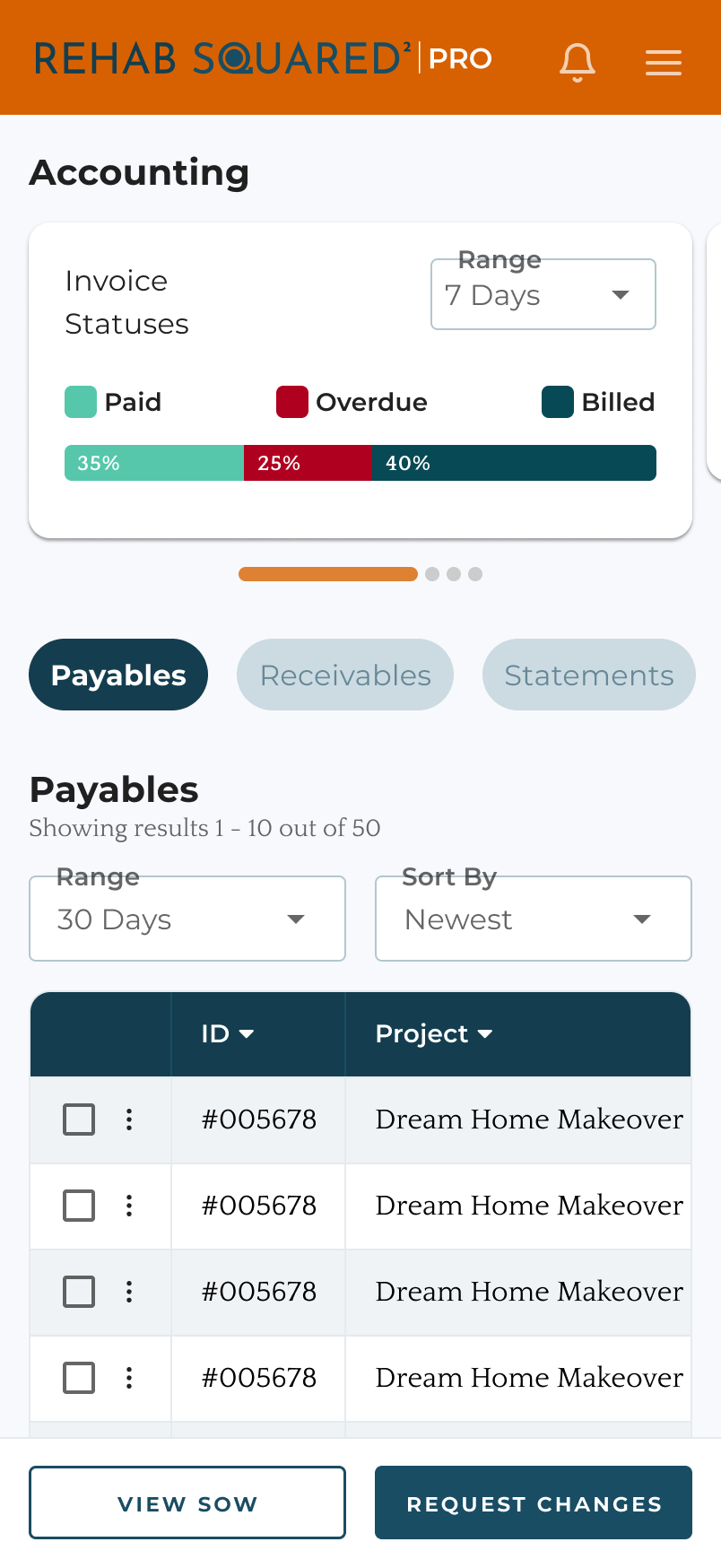
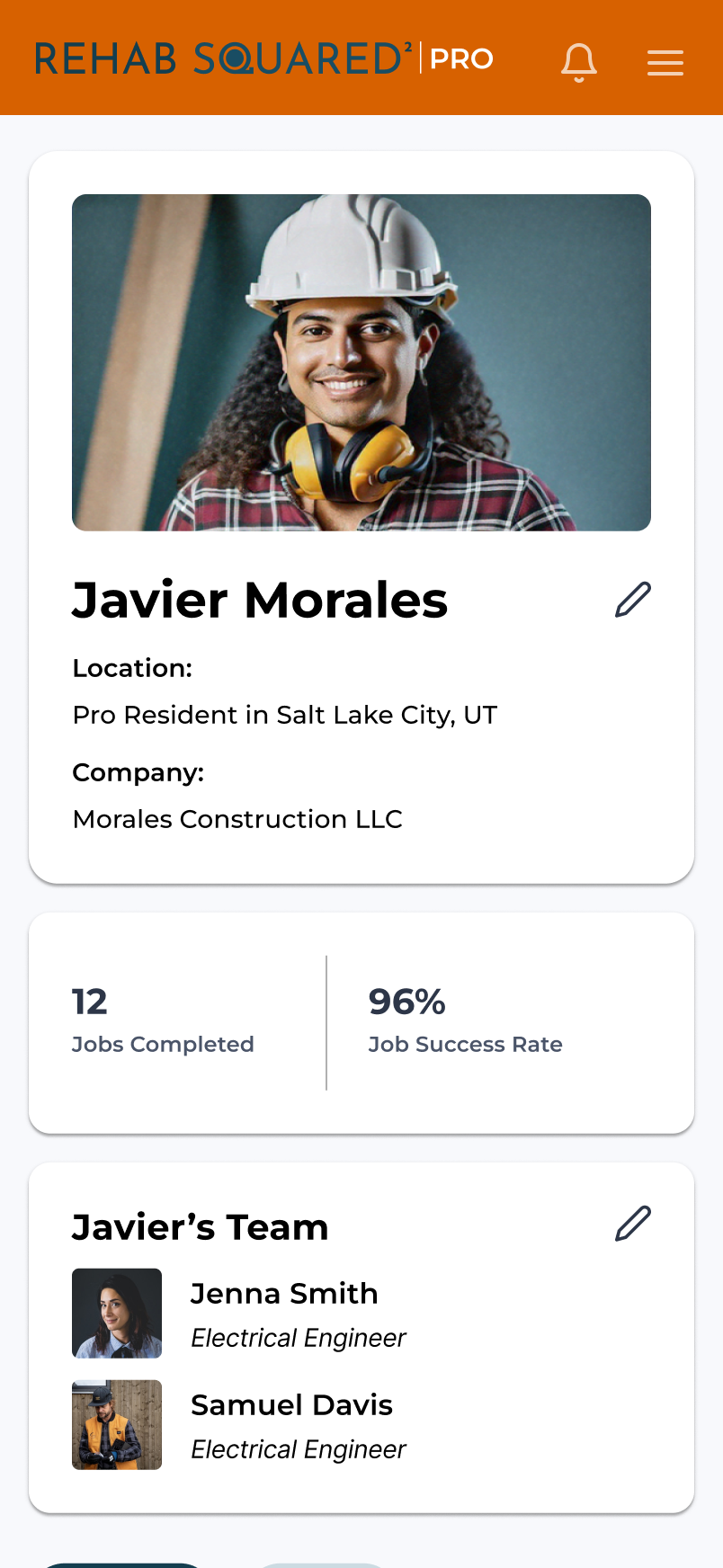
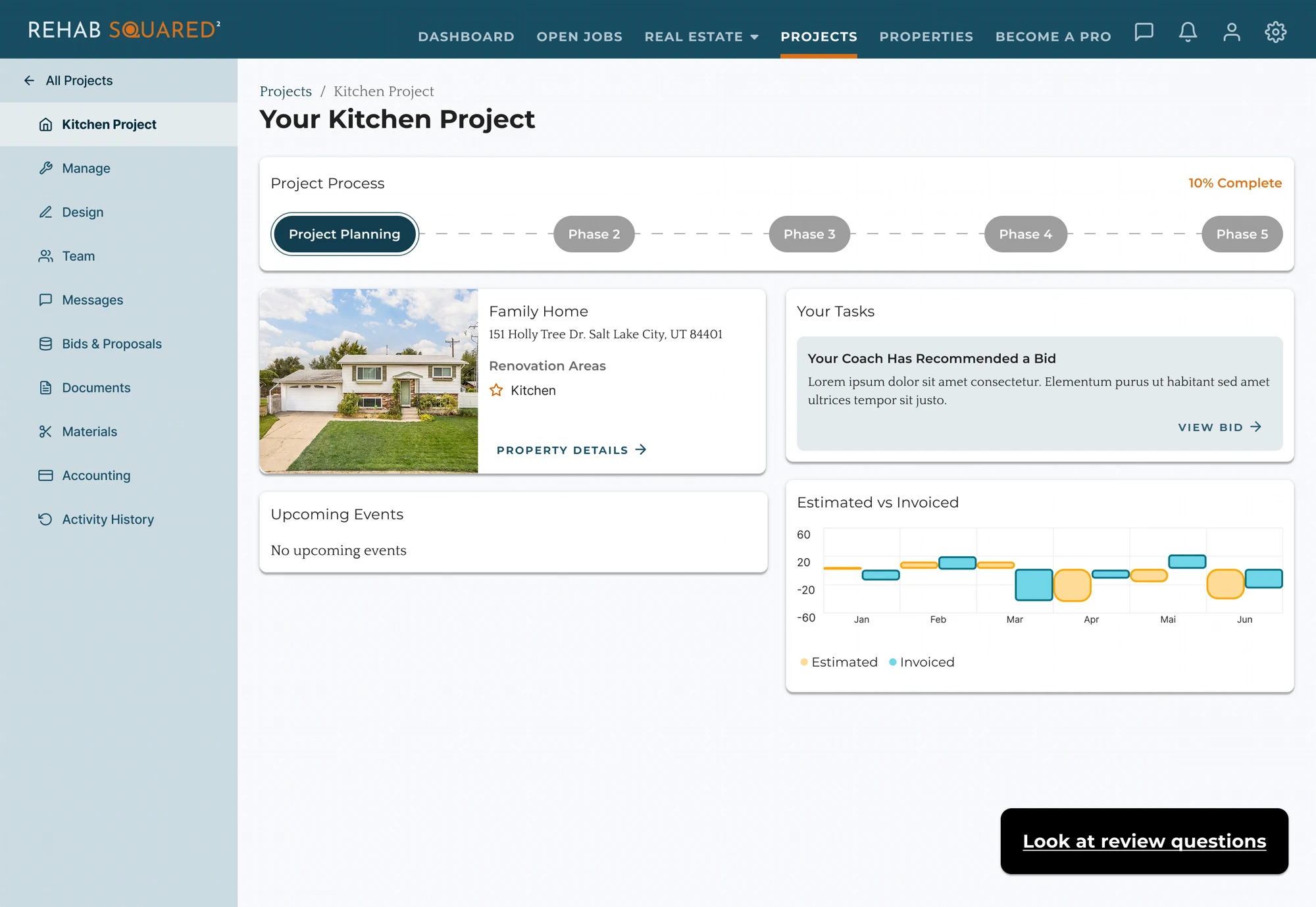
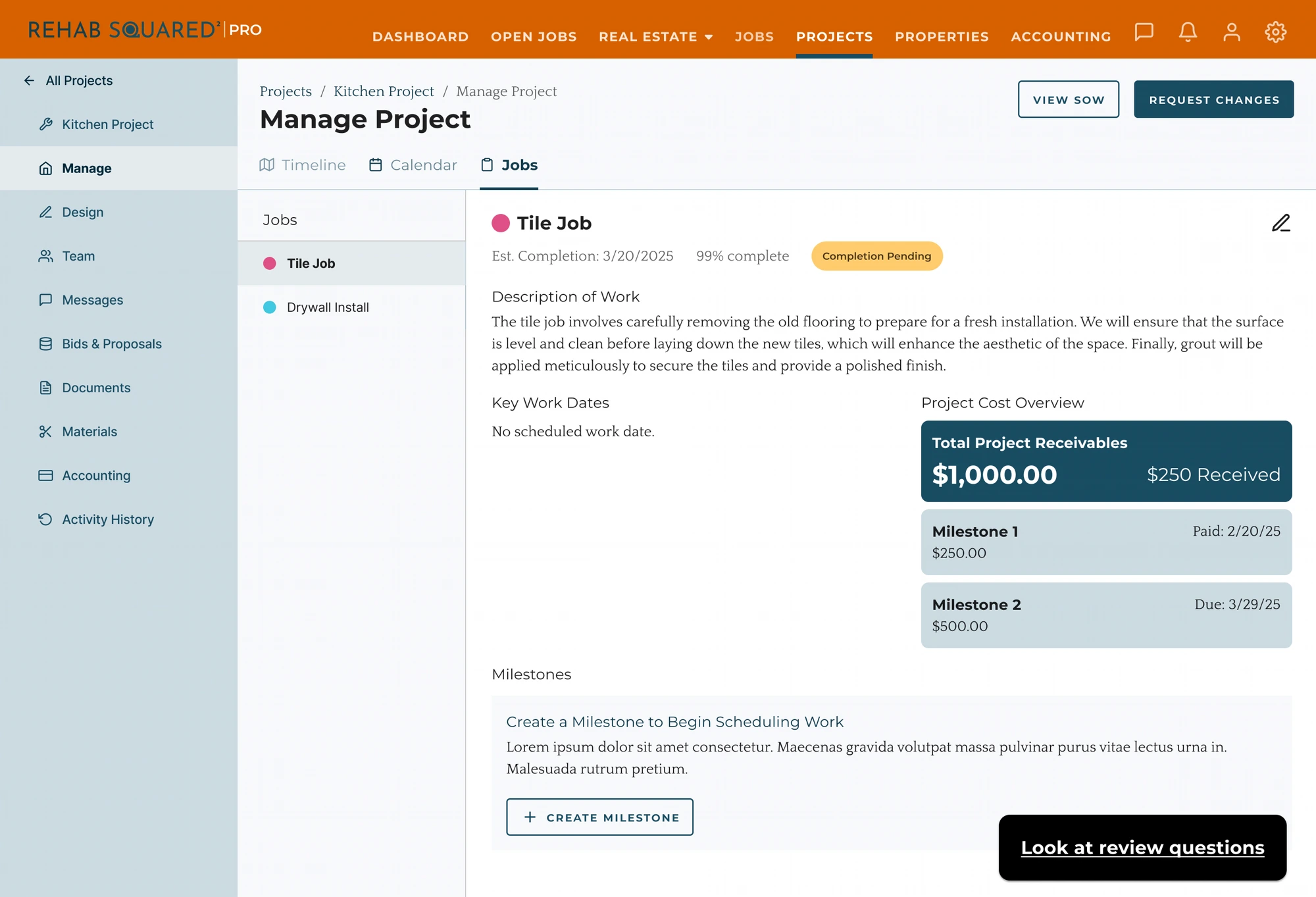
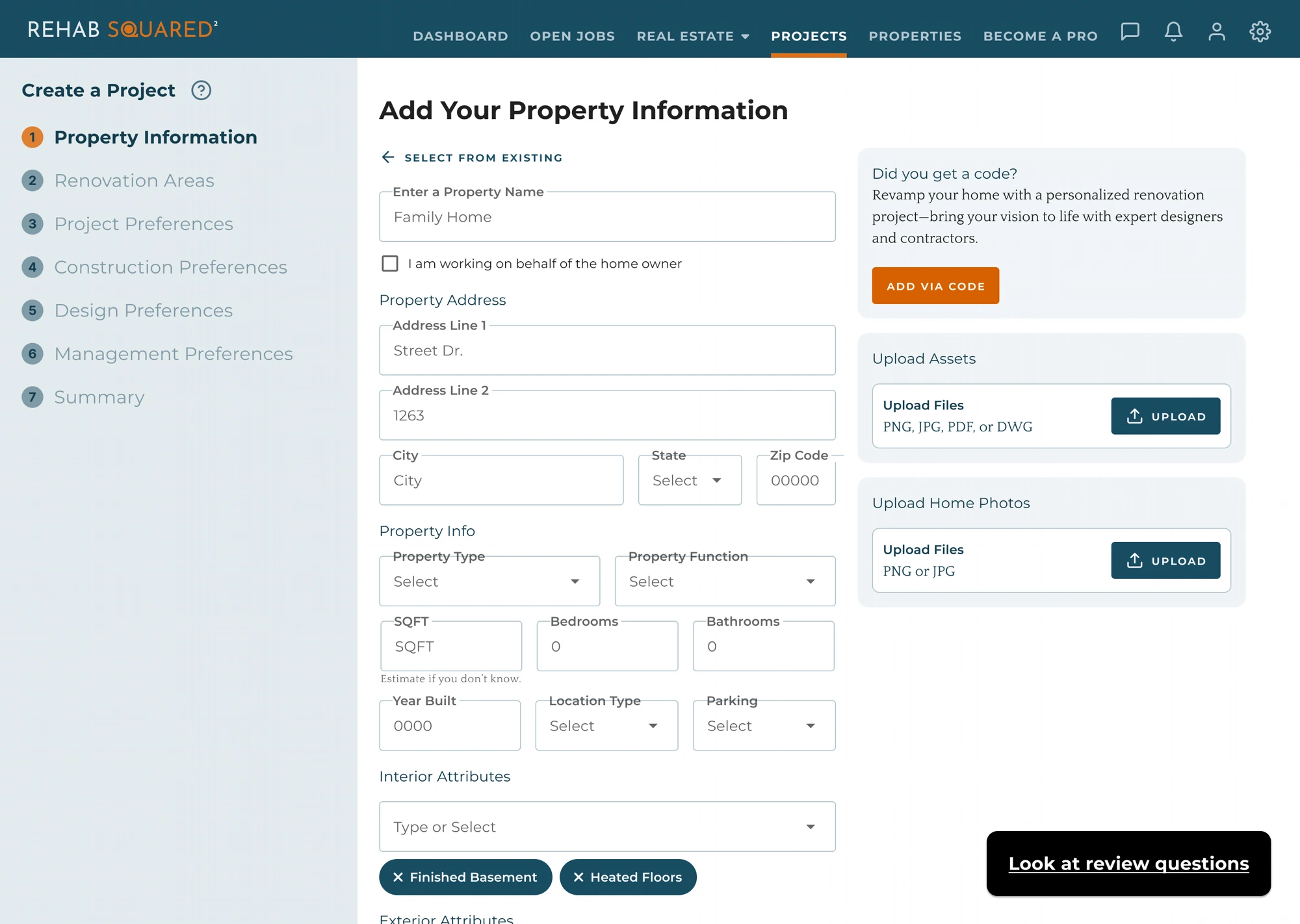
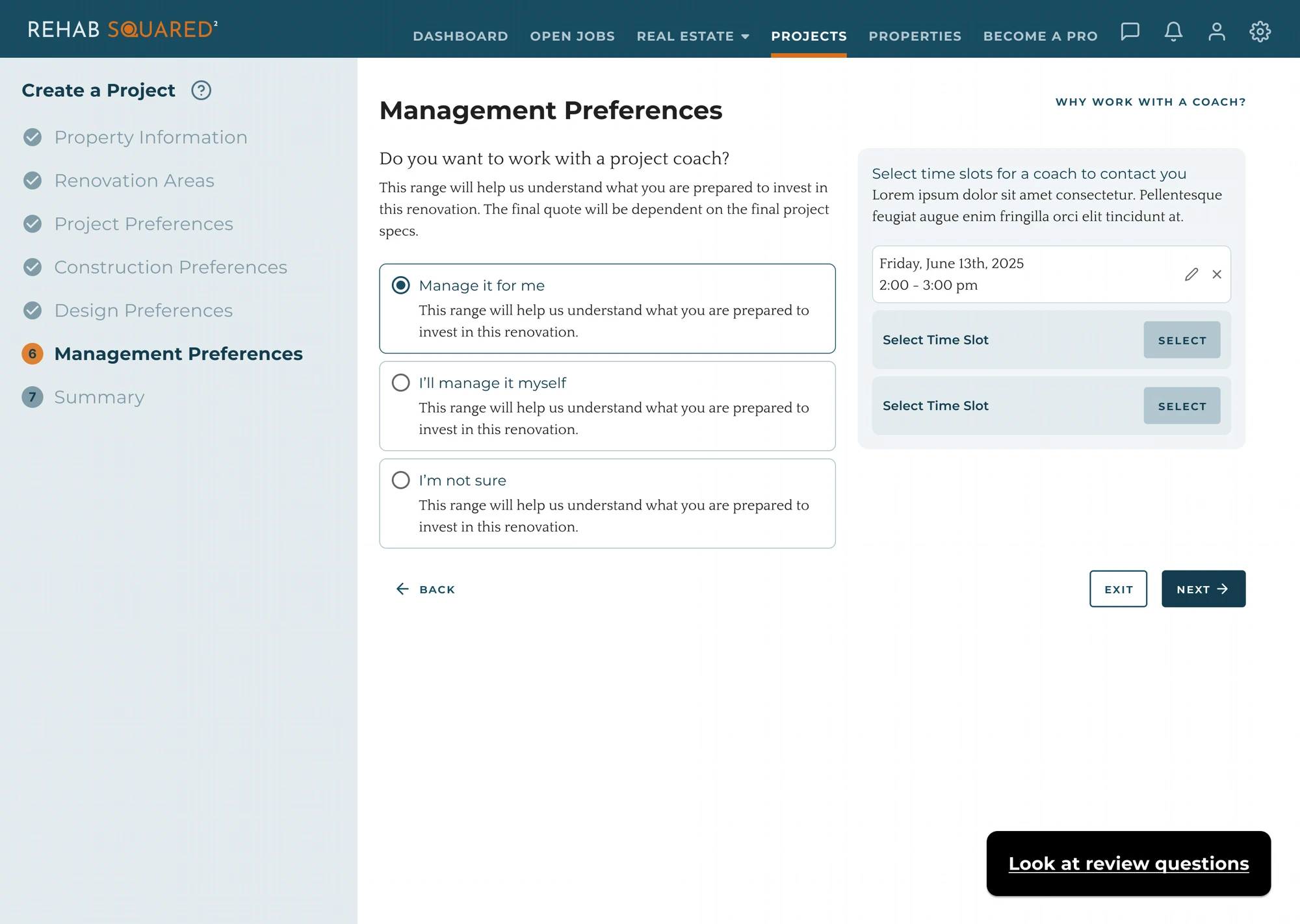
With the flows defined, I moved into the screens where the business logic becomes real. On the web, role-aware dashboards let coaches and RH2 staff track phases, payables, and a project's full state, while a guided multi-step wizard turns a homeowner's raw property into a structured project. On mobile, contractors build the scope of work and stay on top of activity from the field.
Web dashboards
Guided project setup — Create a Project
On mobile
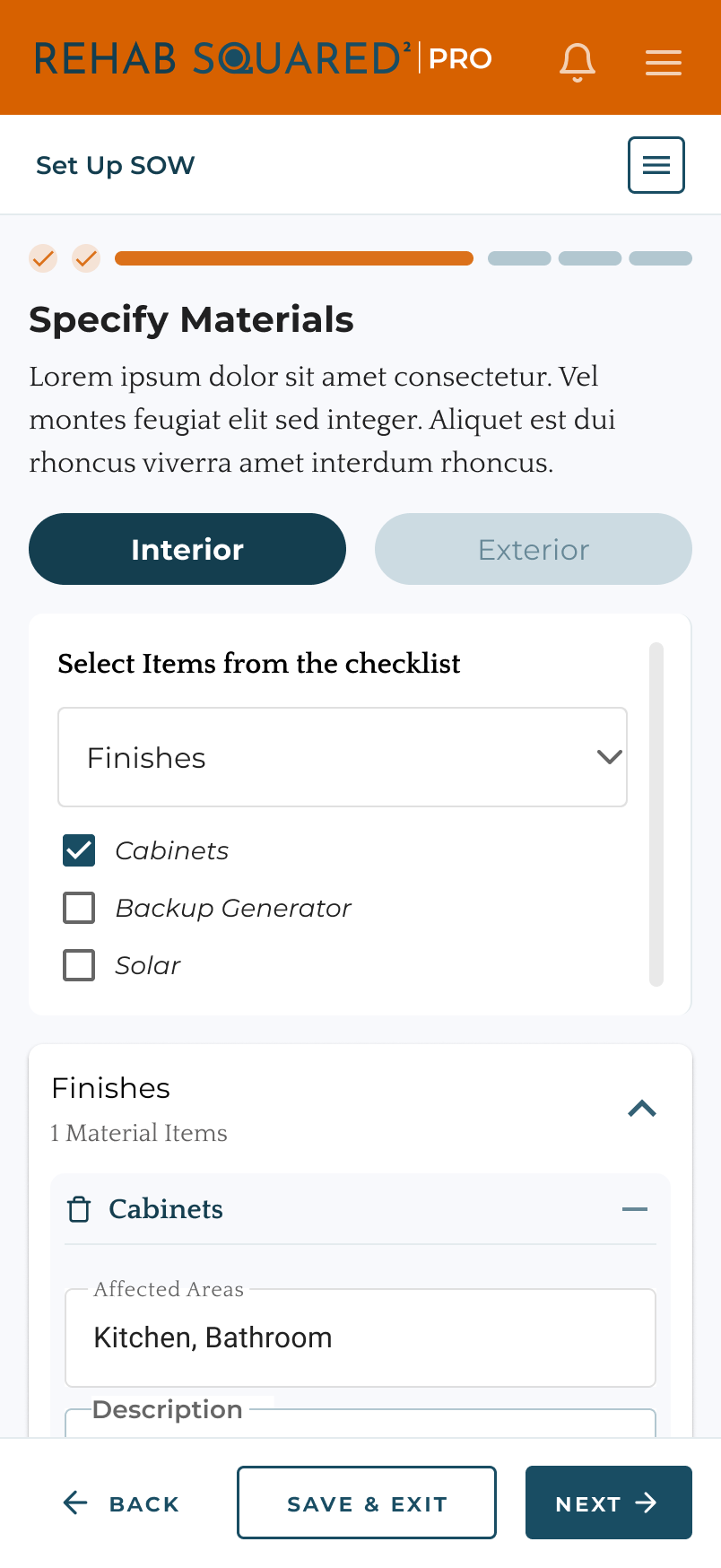
Contractors attach materials to each affected area.
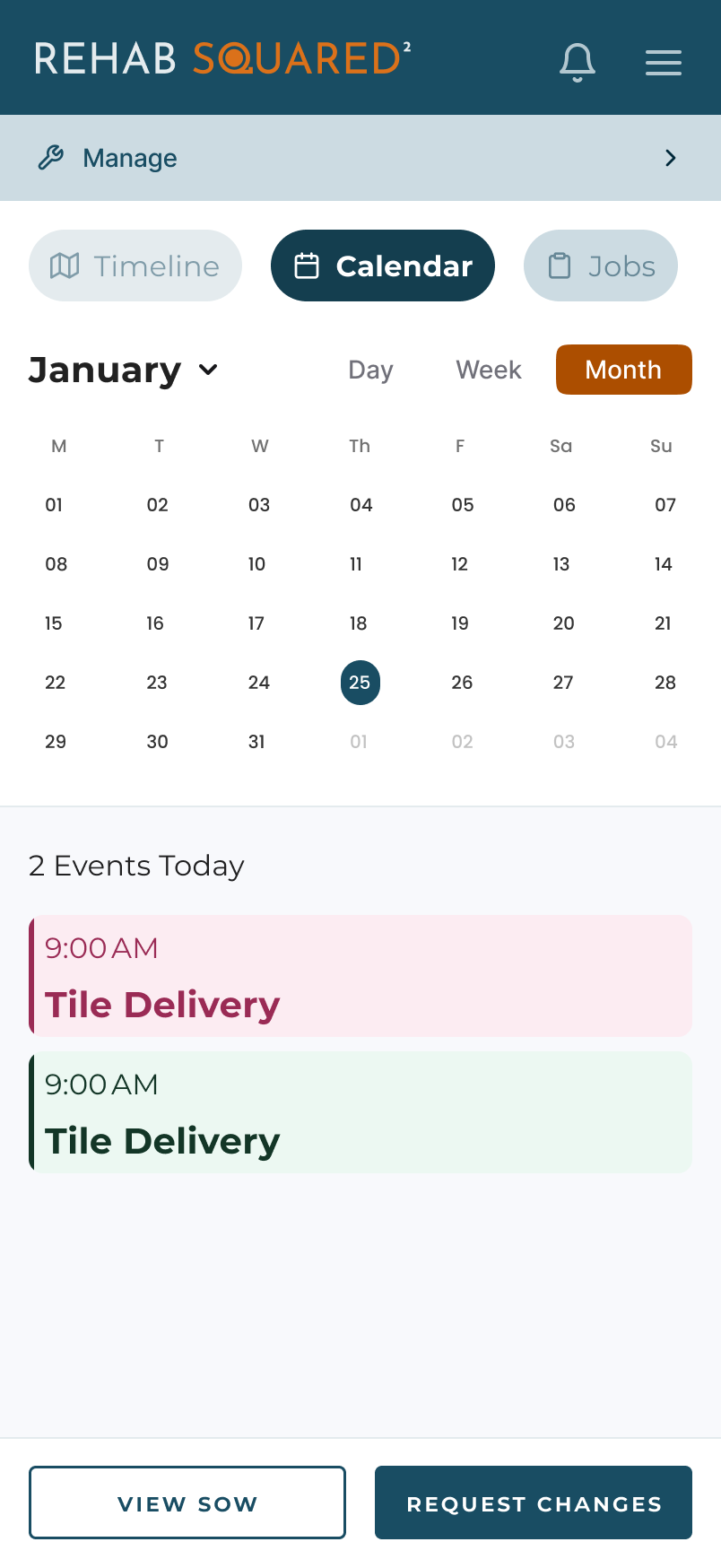
Project events and updates, on the go.
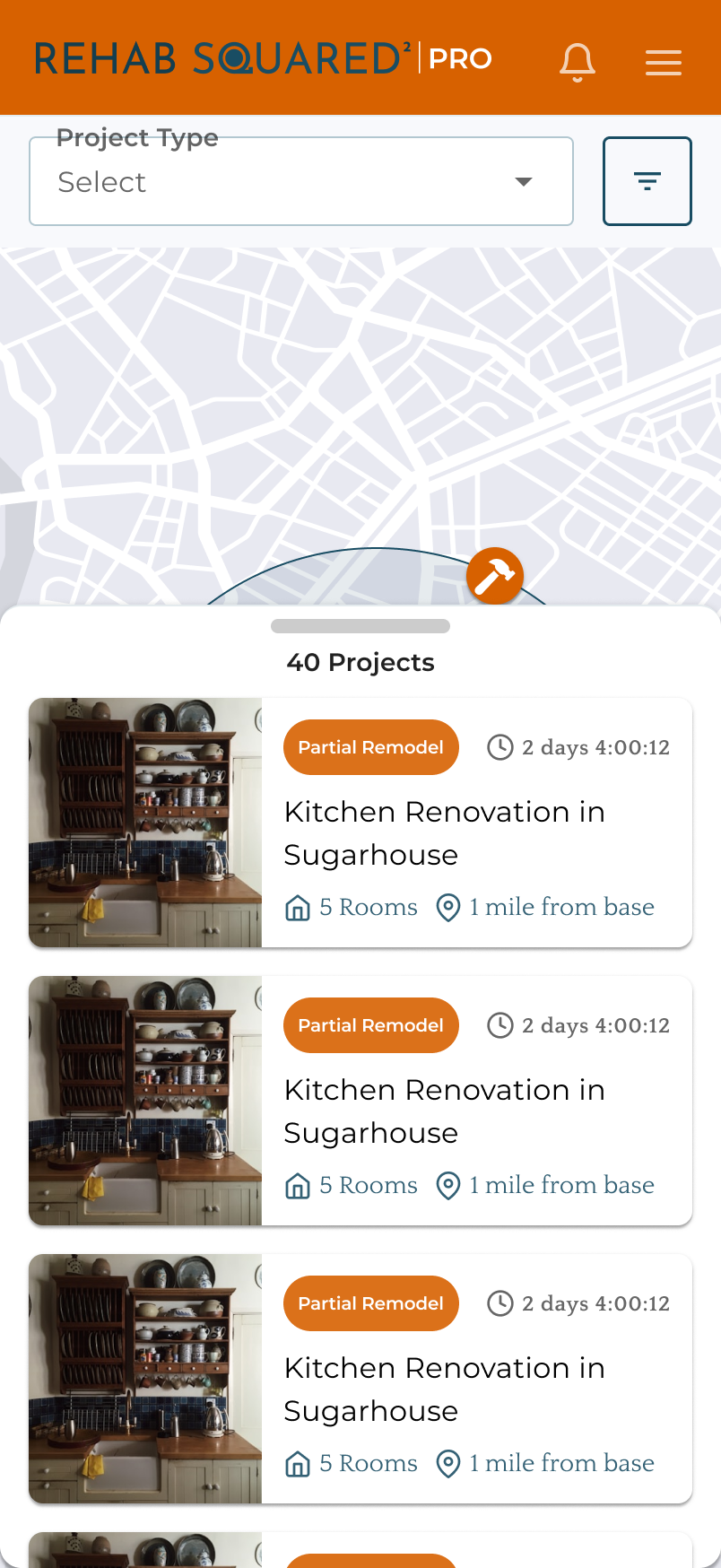
Browse and filter active jobs anywhere.
/ 06 — Key decisions
Decisions that
shaped the system.
A few decisions shaped how the platform works, not just how it looks.
Centered the coach as the operational hub
The flow is built around the coach qualifying, scoping, and steering each project, rather than a self-serve marketplace.
Surfaced operational and transactional state
Invoice statuses, estimated-vs-invoiced, phases, and activity history — so every role can see exactly where a project stands.
Structured project setup as a guided, staged flow
SOW setup and property/project creation broken into clear steps with distinct empty and filled states.
Kept the homeowner anchored throughout
Mapped their journey stage by stage so operational complexity never left them unsure of the next step.
/ 07 — Outcome
How it works,
as a business.
The result was a shared, validated model of how three user types move through a renovation together, and a set of flows and screens that reflect the operational and transactional reality the platform runs on — not just how it looks, but how it works as a business. That shared model became the reference the team designed and built against.
/ 08 — Reflection
The interesting work on Rehab Squared wasn't the interface — it was the business underneath it. Clarifying how coaches, contractors, homeowners, and operational staff relate to each other was what unlocked the design. On complex platforms, the highest-leverage UX work is often defining the system, not decorating it.